Login
Logging into a Monkey Auth account is facilitated through standard authentication features, including error feedback, “Remember Me” functionality, and links to password recovery and new user registration.
How to Use the Login Page
1. Login
- Email/Username & Password Fields: Enter your credentials in the provided input fields.
- Remember Me Checkbox: Select this option to stay signed in across sessions.
- Sign In Button: Click this to proceed with login.

2. Error Handling
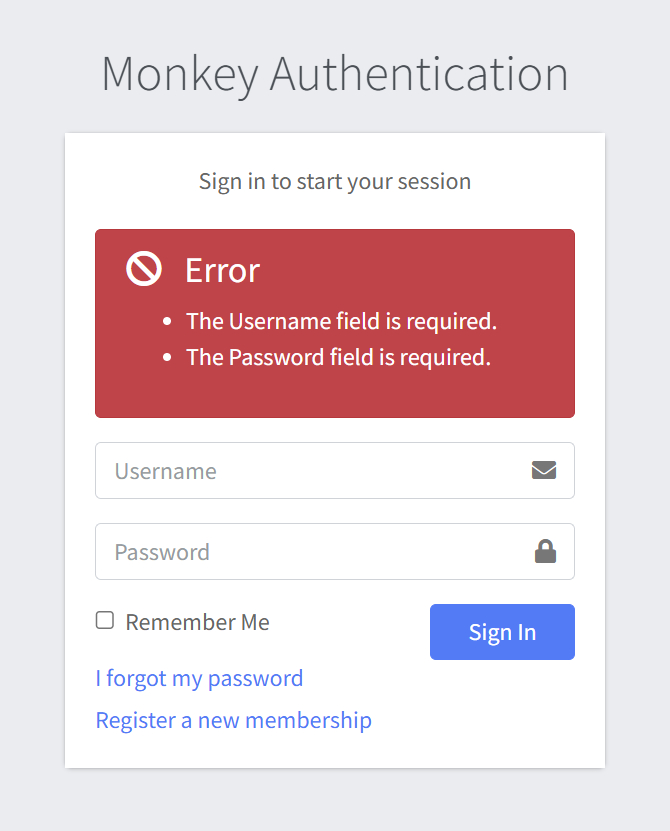
- If the login fails (e.g., due to incorrect credentials), an error message will appear above the login form.
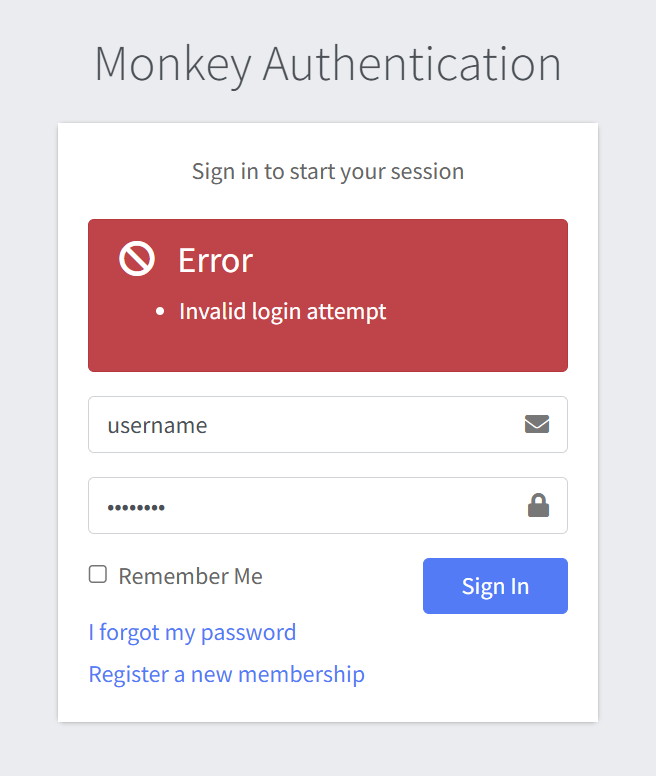
- An error is displayed above the Forgot password form if an empty form is submitted.
3. Forgot Password
- Click the “I forgot my password” link to initiate the password reset process.
- You’ll be taken to a form where you can input your email to receive reset instructions.
4. Register a New Account
- Click “Register a new membership” to create a new MonkeyAuth account.
- Fill out the registration form on the linked page and follow prompts to complete setup.
Notes
- Make sure your browser allows cookies and has JavaScript enabled.
- Use a secure and private device to log in.
- If you’re using a shared or public computer, avoid using the “Remember Me” feature.